
Only the amount of the order can be paid with a payout. Anything above it goes back to the customer in cash.
In the examples below the order is $20.00.
| The customer has… | What you tap | What happens |
|---|---|---|
| a $10 ticket | APPLY AS PAYMENT | $10 goes to the order, the customer pays the other $10 |
| a $50 ticket | APPLY AS PAYMENT, then GIVE $30.00 CASH AS CHANGE | the order is paid, $30.00 handed over in cash |
| no order at all | REMOVE CASH | cash leaves the drawer, no order is touched |
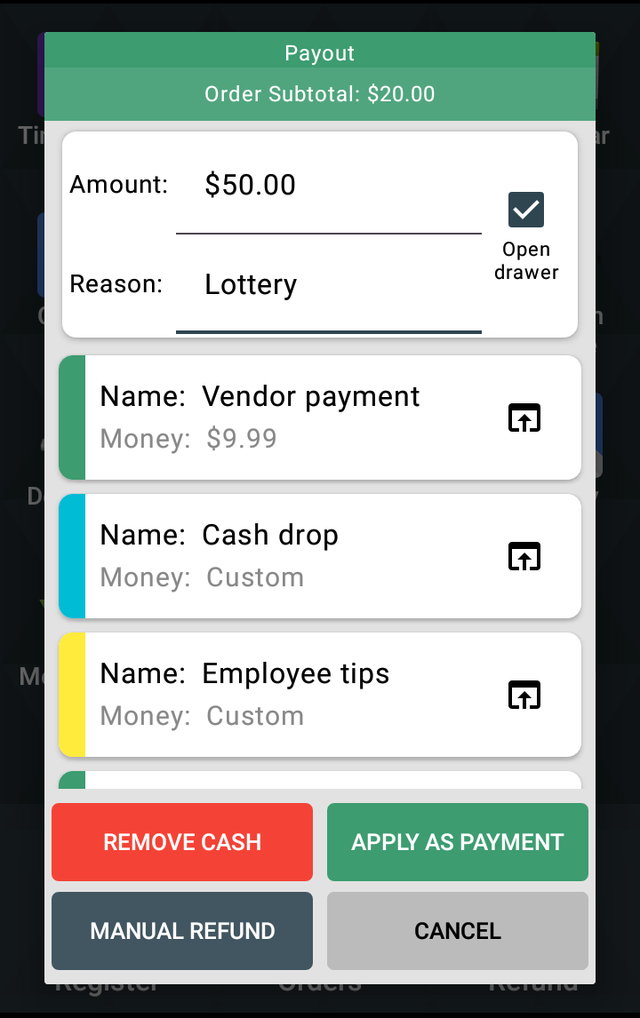
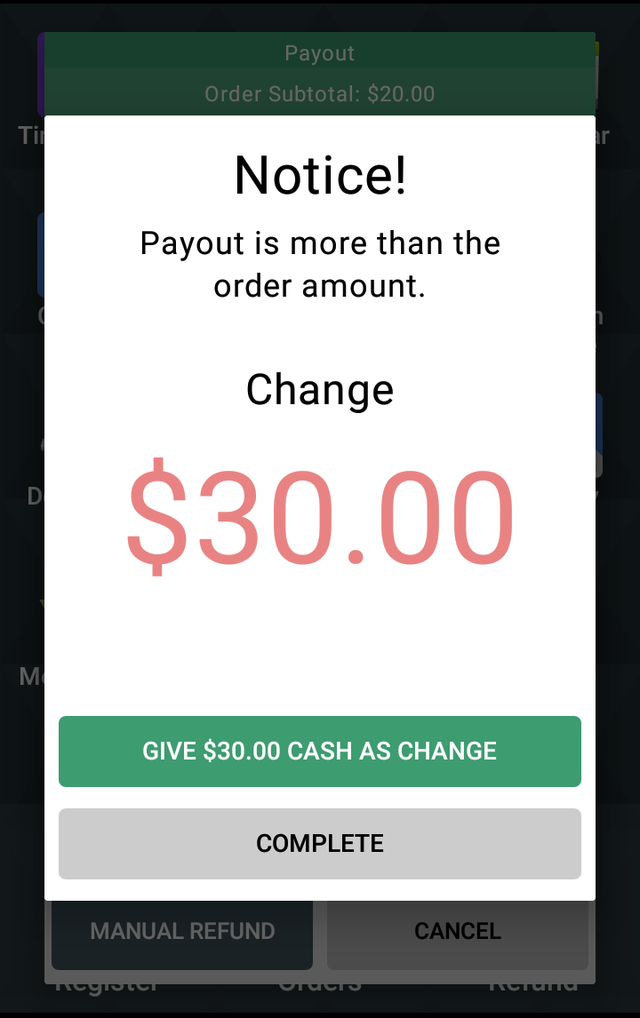
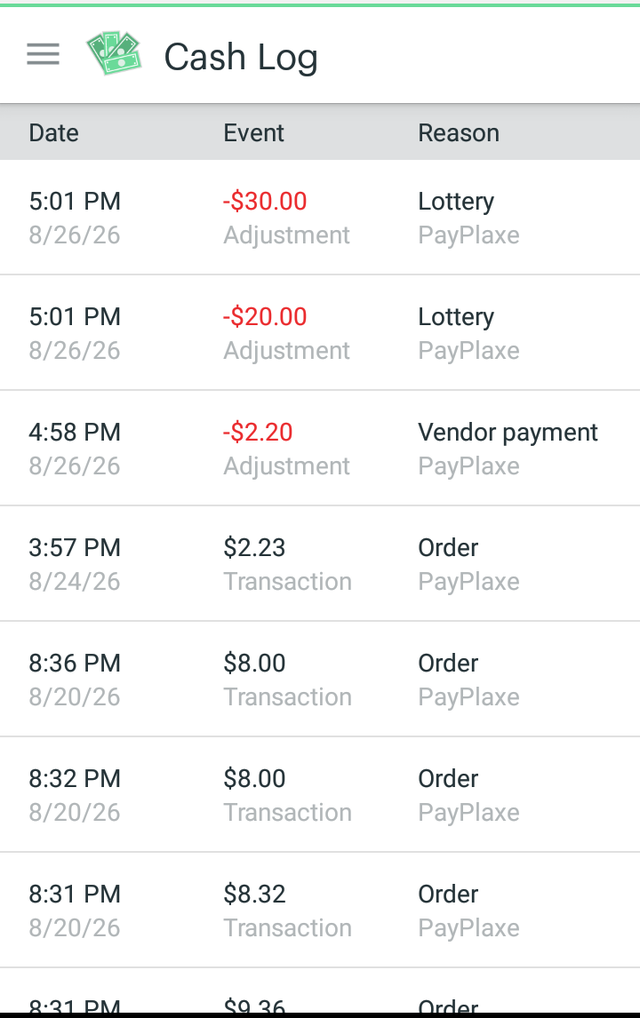
The change window opens by itself when the payout is bigger than the order. Afterwards the paid part is in Clover Orders, the cash part is in Clover Cash Log — it is not a sale, so it is not in Sales Reports — and every payout with its employee and reason is in Reports in the app.
Settings → Payout Mode decides what happens to the applied amount: Issue payouts + remove cash also records it in the Cash Log, Issue payouts only applies it to the order only. The app ships with Issue payouts only.
The same thing step by step
- Ring up the order in Clover Register and tap Pay.
- Tap your payout button on the payment screen.
- Type the payout in Amount: — $50.00 — and pick or type the reason, e.g. Lottery.
- Tap APPLY AS PAYMENT.
- The app says the payout is bigger than the order and shows Change $30.00. Tap GIVE $30.00 CASH AS CHANGE and hand over the $30.00.
- The order is paid. The cash you handed over is in the Clover Cash Log.
Use GIVE $30.00 CASH AS CHANGE whenever you hand the money over. COMPLETE is only for the case where you are not giving any change.
MANUAL REFUND is for a refund, nothing else.
Back to Payout Manager Download PDF Install on Clover App Market